Bake Breads to Escape Controls & Kitchen Inputs
How to move, interact, sell, and open shops on PC and mobile without fighting the bakery UI.
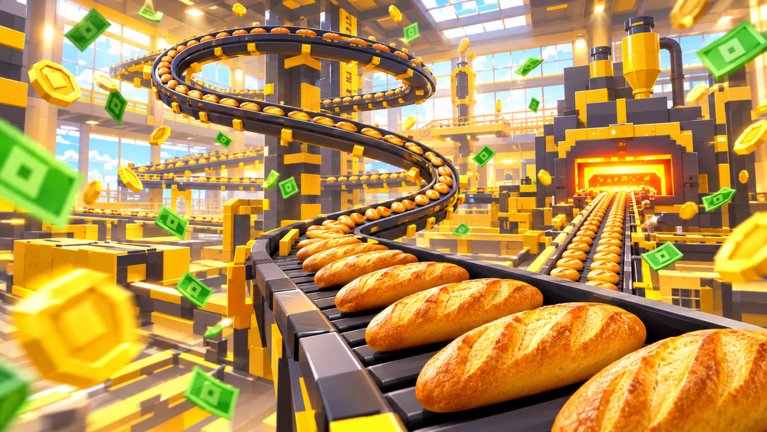
Controls are part of escape speed
Bake Breads to Escape is a cozy incremental kitchen, but clumsy inputs still lose quotas. This page covers the practical PC and mobile habits bakers use to grab dough, cut, ride the oven belt, sell at the counter, open upgrade shops, and pick shifts — then ties those inputs to co-op roles on the Players Hub.
Roblox experiences share the usual movement skeleton; the bakery adds interact prompts on stations. Exact keybinds can follow your Roblox settings, so treat the lists below as the default kitchen map and rebind in Roblox Settings if needed.
PC defaults (keyboard + mouse)
| Action | Typical input | Kitchen note |
|---|---|---|
| Move | WASD | Keep paths clear around dough and oven |
| Camera | Mouse | Angle so you can see belt jams early |
| Jump | Space | Rarely required on flat kitchen floors |
| Interact / pick up | E or click prompt | Dough, finished loaves, shop NPCs |
| Sprint (if enabled) | Shift | Useful on long sell trips |
| Open Roblox menu | Esc | Graphics, volume, leave |
Workflow tips on PC:
- Face the station before you mash interact — mis-clicks waste oven time.
- After grabbing dough, turn toward the cut / press tool without spinning the full camera.
- When trays are ready, prioritize the sell counter prompt over “helping” a crowded dough pile.
- Open the upgrade shop between sell trips, not while the belt is empty and starving.
Mobile / touch defaults
| Action | Typical control | Kitchen note |
|---|---|---|
| Move | Left thumb stick | Watch for stick drift near walls |
| Camera | Swipe right side | Keep oven belt in frame |
| Jump | Jump button | Optional on flat floors |
| Interact | On-screen prompt / tap | Larger tap targets help mid-rush |
| Sprint | Sprint button if shown | Save for counter runs |
Mobile habits that raise escape rate:
- Increase touch sensitivity slightly if you overshoot the sell counter.
- Use a stable grip; Holiday Rush fails often from accidental camera flicks.
- Prefer shorter backpack trips if your thumb cannot spam long sprints cleanly.
- Claim daily gems before you start moving so UI popups do not cover prompts mid-loop.
Shift select and menus
Before the loop starts you usually pick Day, Overtime, Night, or Holiday Rush (plus Burned Out / Chill variants when offered). Read the quota the moment you spawn — that number is the door rule explained in How to Escape.
Inside a run, look for:
- Upgrade / shop buttons for tools, backpack, and table ranks
- Pet / class panels once unlocked
- Rewards panels for daily and playtime gems
- Codes only if the UI exists — see Codes Hub for current status
If a patch rearranges icons, skim the Updates hub and re-learn the layout on a Day warm-up before Night Owl attempts.
Interact priority (what to click first)
When multiple prompts overlap, use this order:
- Sell ready bread — finished loaves rotting unsold do not cut the quota.
- Clear oven / belt blockers — idle ovens stall the whole line.
- Feed dough / cut — refill the mid-line.
- Open shop — only when cash is burning a hole and stations are stable.
- Cosmetic / social menus — never during Night or Holiday Rush.
This priority matches the seller-first advice on the Players Hub and the checklists on the Tools Hub.
Co-op callouts tied to controls
Inputs alone do not save a four-baker shift. Pair them with short voice or chat calls:
- “Selling” — you are on the counter prompt
- “Dough low” — runners should interact at prep now
- “Belt full” — stop cutting, help finish / sell
- “Buying backpack” — upgrade buyer opening shop
Mute chaos if randoms fill the other server slots (max twelve players). Protect your lane.
Accessibility and comfort
- Lower camera shake / motion effects in Roblox settings if oven belts make you dizzy.
- Remap Interact if E conflicts with another extension or overlay.
- On laptop trackpads, consider a cheap mouse for sell-heavy Breadwinner grinds (All Badges).
- Take breaks — Chill sessions exist so you can practice inputs without Burned Out pressure.
Practice drill (five minutes)
- Join on Day.
- Completing one full interact cycle: dough → cut → oven → sell.
- Open the upgrade shop once and buy nothing (muscle memory only).
- Sprint a counter trip with a half backpack.
- Escape or leave after the drill — then read Getting Started if the loop still feels fuzzy.
Related pages
- Players Hub — co-op roles
- Getting Started
- Gems and rewards
- Guides Hub
- Links Hub
Clean inputs keep the fantasy cozy. Mash carefully, sell often, and let Chef Crumb’s number fall.
Frequently Asked Questions
Quick answers for bakers who want out of Chef Crumb's kitchen.
What key do I use to interact in Bake Breads to Escape on PC?
Usually E or the on-screen click prompt, depending on your Roblox settings. Face the station before interacting.
How do I play on mobile?
Use the left stick to move, swipe to look, and tap interact prompts on dough, oven, and sell stations. Claim daily rewards before the loop so popups do not cover prompts.
When should I open the upgrade shop?
Between stable sell trips—not while the oven belt is empty or during a chaotic Holiday Rush moment.
What should I click first when prompts overlap?
Sell ready bread first, then clear oven issues, then refill dough and cuts. Shop and cosmetics come last.
Where do I learn co-op roles after controls?
Read the Players Hub for dough runner, cutter, seller, and upgrade buyer duties once your inputs feel comfortable.